How to print coloring pages: the right size, paper and settings
To print one of our pages right now: open the PDF that matches your paper, print it at Actual size, and you're done. The rest of this guide covers phones, paper weights, and the two problems that ruin marker pages: bleed-through and smeared inkjet lines.
Updated October 28, 2026 · 14 sources

The short version
- Tap PDF · US Letter (8.5 x 11 in) or PDF · A4 (210 x 297 mm) to match your paper, and print the PDF, not the web page.
- Set Scale to Actual size or 100 %. Our pages keep a 1/2 in margin, so nothing gets cut off. Use Fit to page only if the edges clip.
- On a phone: iPhone, Share button then Print; Android, three-dot menu then Print. The printer must be on your Wi-Fi.
- Copy paper (20 lb, 75 gsm) is fine for pencils. For alcohol markers, use 65 lb cover cardstock (176 gsm, about 4 cents a sheet) or 110 lb index (199 gsm).
- Alcohol markers can smear inkjet lines. Laser toner is safe. On an inkjet, print in Draft or grayscale, wait 24 hours, test a corner.
- Put 3 or 4 scrap sheets behind the page you color. Plastic alone makes the ink pool.
Print a page in 5 steps
- Pick the PDF that matches your paper. On every page there are two buttons: PDF · US Letter for 8.5 x 11 in paper (US and Canada) and PDF · A4 for 210 x 297 mm paper (almost everywhere else). The PDF opens in a new tab.
- Print the PDF itself. Use the print icon in the PDF viewer, or Ctrl+P (Cmd+P on a Mac) while the PDF tab is open. If you press print on the coloring page instead, you get the website around the drawing.
- Set the scale to Actual size (it may say 100 % or Default). Our drawings sit inside a 1/2 in (12.7 mm) margin, and home printers only need about 1/8 in, so nothing is cut off.
- Choose the paper type and color mode. Plain paper for copy paper, Cardstock or Heavyweight for card. Pick Grayscale or Black and white so the lines print pure black.
- Print one and check it. The drawing should have white space on all four sides. Then print the rest, or a second copy to try your colors on first.
No printer? Every page also has Color it online: tap a space to fill it, on a phone, tablet or computer, and your work saves on that device. A transparent PNG for Procreate and other drawing apps is coming.
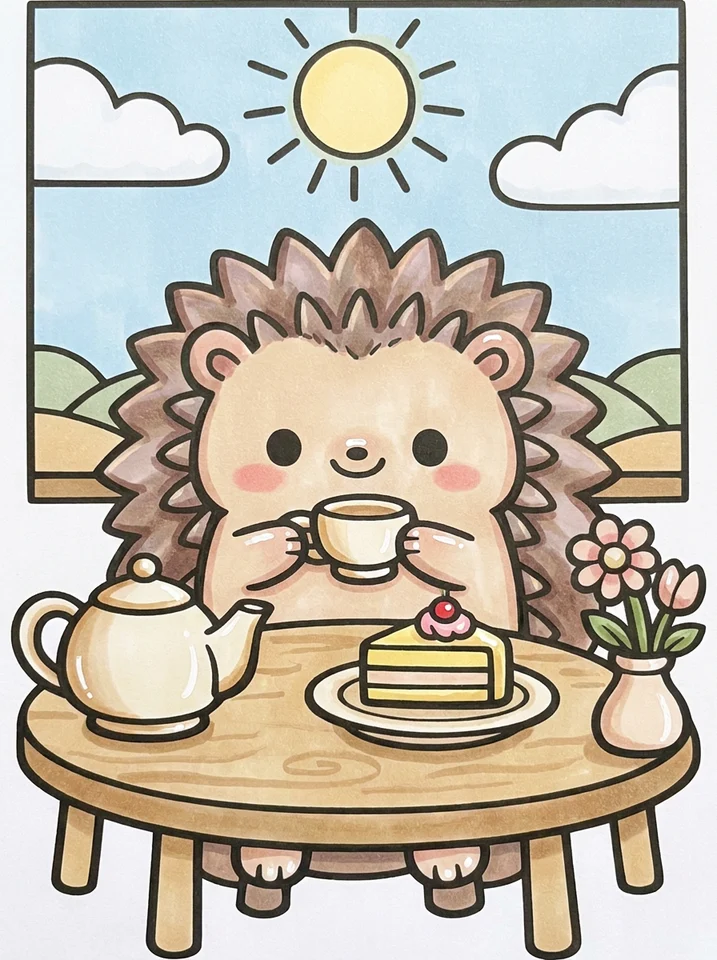
Hedgehog Tea Party
83 spaces · Easy

Latte with a Croissant
30 spaces · Easy

Cat in a Santa Hat
42 spaces · Easy

Puppy Sleeping in a Dog Bed
27 spaces · Easy
Letter or A4, and what size a coloring page is
US Letter is 8.5 x 11 in (215.9 x 279.4 mm). A4 is 210 x 297 mm: a little narrower and 3/4 in taller. Our two PDFs carry the same drawing, about 7.3 x 9.7 in (185 x 247 mm), centered in a 1/2 in margin with one small credit line at the bottom.
Grabbed the wrong one? A Letter PDF printed on A4 at Actual size still keeps the whole drawing: it is 185 mm wide on 210 mm paper. An A4 PDF on Letter paper leaves a tight bottom margin, so use Fit to page there. Fit shrinks the page to 97.3 % (Letter on A4) or 94.1 % (A4 on Letter), and our 1.7 mm lines stay 1.6 to 1.65 mm: no visible difference.
Smaller or bigger pages
| You want | Print setting | Line weight you get |
|---|---|---|
| The standard page | Actual size on Letter or A4 | 1.7 mm on easy pages |
| Two mini pages per sheet (a quick 15-minute color, a card) | Pages per sheet: 2, or Multiple in Acrobat | about 1.1 mm (65 %) |
| A big page for weaker hands or low vision | Fit to page on 11 x 17 in (Tabloid) or A3, usually at a copy shop | about 2.2 to 2.4 mm |
For comparison, the popular bold and easy books are square: Coco Wyo's own editions are 8.5 x 8.5 in and the Penguin Random House editions 8 x 8 in, while Bobbie Goods formats its paid printables for an 8.5 x 11 in sheet. More on the style itself in bold and easy coloring, explained.
Actual size or Fit to page
Actual size prints the PDF exactly as made. Fit to page (or Fit to printable area) shrinks it until it fits inside the area your printer can reach. Coloring Bliss says Fit is the safe choice when you don't know your printer's margins, and that a half-inch border is "usually plenty" to print at actual size. An Epson ET-4700, for example, needs only 0.12 in (3 mm) on each side.
| Where you print from | Where the setting is | Choose |
|---|---|---|
| Adobe Acrobat Reader | Page Sizing & Handling, Size | Actual size |
| Chrome on a computer | More settings, Scale | Default, or Custom 100 |
| Preview on a Mac | Scale | 100 % |
| iPhone or Android | Often no scale option | Pick the PDF that matches your paper, so nothing needs resizing |
Labels change between versions; the word to look for is "scale" or "size". Borderless printing is a different setting: leave it off, because it enlarges the page past the paper edge and Epson notes quality can drop.
The one check
Printing from a phone
Your phone and printer need to be on the same Wi-Fi network.
iPhone and iPad
- On the coloring page, tap PDF · US Letter or PDF · A4. The PDF opens in Safari.
- Tap the Share button (the square with an arrow), scroll down and tap Print.
- Tap Printer and choose yours. AirPrint printers appear on their own, with no app or driver to install (Apple).
- If you see a paper size option, set it to the paper in the tray. Tap Print.
Android
- Tap the PDF button. Chrome usually downloads the file: open it from the download notification or the Files app.
- Tap the three-dot menu, then Print (in some apps it is under Share).
- Tap Select a printer at the top. If yours is missing, choose All printers, then Add printer.
- Open the small arrow under the printer name to set Paper size and Color, then tap the print button.
If no printer shows up on Android, turn on a print service in Settings, Connected devices, Connection preferences, Printing (Google's path on Pixel phones; other brands are similar), or install your printer maker's app. No printer at all? Send the PDF to a library or copy shop: most print from a phone or a USB stick, usually on a laser printer, which is what you want for alcohol markers anyway.
Printer settings for line art
| Setting | Choose | Why |
|---|---|---|
| Paper size | Letter or A4, same as the PDF | A mismatch makes the driver resize or clip |
| Scale | Actual size, 100 % or Default | Keeps the 1.7 mm line and the margin as made |
| Color | Grayscale or Black and white | Avoids a color cast on the lines (Coloring Bliss); an inkjet then uses only black ink |
| Quality, laser | Best or High | Removes jagged edges and banding on line art (Coloring Bliss) |
| Quality, inkjet with alcohol markers | Draft or Standard | Less ink on the page, less smearing later (Michelle's MBellishments, Paperesse) |
| Paper type | Plain, or Cardstock / Heavyweight for card | On a laser, heavy settings fuse the toner properly; otherwise it can flake (Coloring Bliss) |
| Tray | Manual, bypass or rear tray for cardstock | A straighter path through the printer, fewer jams |
| Two-sided | Off | Some drivers default to duplex; markers need a blank back |
The quality rows pull in opposite directions, and that is on purpose: Best gives the crispest line, Draft gives an inkjet line that smears less under alcohol markers. Our PDFs are vector files, so even Draft prints a clean edge; it just prints slightly lighter.
Coloring BlissSteve Stay, How to Print Coloring Pages
Our tip: Their best habit to copy: load cardstock in the manual tray and select that tray in the print settings, or the printer pulls plain paper from the main drawer.
Which paper to use for coloring pages
Choose the paper for what you color with. Thin paper drinks alcohol marker ink and lets it through to the table; thick, smooth card keeps the ink on top. Pencils want the opposite: a little tooth to grab the pigment.
| You color with | Paper | About per sheet |
|---|---|---|
| Colored pencils, crayons | 20 lb copy paper (75 gsm) | 1 cent |
| Water-based markers, gel pens | Copy paper, or 28 to 32 lb laser paper (105 to 120 gsm) | 1 to 6 cents |
| Alcohol markers, everyday | 65 lb cover cardstock (176 gsm) | 4 cents |
| Alcohol markers, less bleed | 110 lb index (199 gsm) or Hammermill Color Copy Cover 80 lb (216 gsm) | 6 to 10 cents |
| A page to keep or frame | Blending card such as X-Press It | about 40 cents |
Prices are Amazon US and Staples in October 2026: Amazon Basics 65 lb (176 gsm) cardstock was about $11 for 250 sheets, Neenah White Index 110 lb (199 gsm) about $18 for 300, HP Premium32 laser paper about $41 for 500.
- Thaneeya McArdle used Neenah Exact Index 110 lb (199 gsm) "for years" with alcohol markers, and Coloring Dojo found it the cheapest paper that controlled bleed well.
- Baylee Jae calls Hammermill Color Copy Cover (80 or 100 lb) her go-to and "basically a dupe" for X-Press It blending card.
- Mr Chris Art Studio likes plain 28 or 32 lb laser paper at about 6 cents a sheet, and points out that everything bleeds a little, even cardstock.
- Coco Wyo recommends 100 to 120 gsm for colored pencils and 120 to 140 gsm for alcohol markers when you print its pages.
Not everyone wants thick paper. Some colorists find cheap thin paper gives the most even marker fill, and several who colored in thick uncoated books disliked the blotchy result and went back to pencils (r/Coloring). Try one sheet of each before you buy a ream.
Skip watercolor and mixed-media paper (they soak up marker ink, pill and wear the tips) and drawing paper (Thaneeya McArdle, Baylee Jae). Marker pads color beautifully but are thin, often see-through, and usually 9 x 12 or 7 x 10 in: you have to trim a sheet to Letter or A4 before it goes in the printer. Want the page to last? Acid-free card slows yellowing; ordinary printer paper usually isn't acid-free.
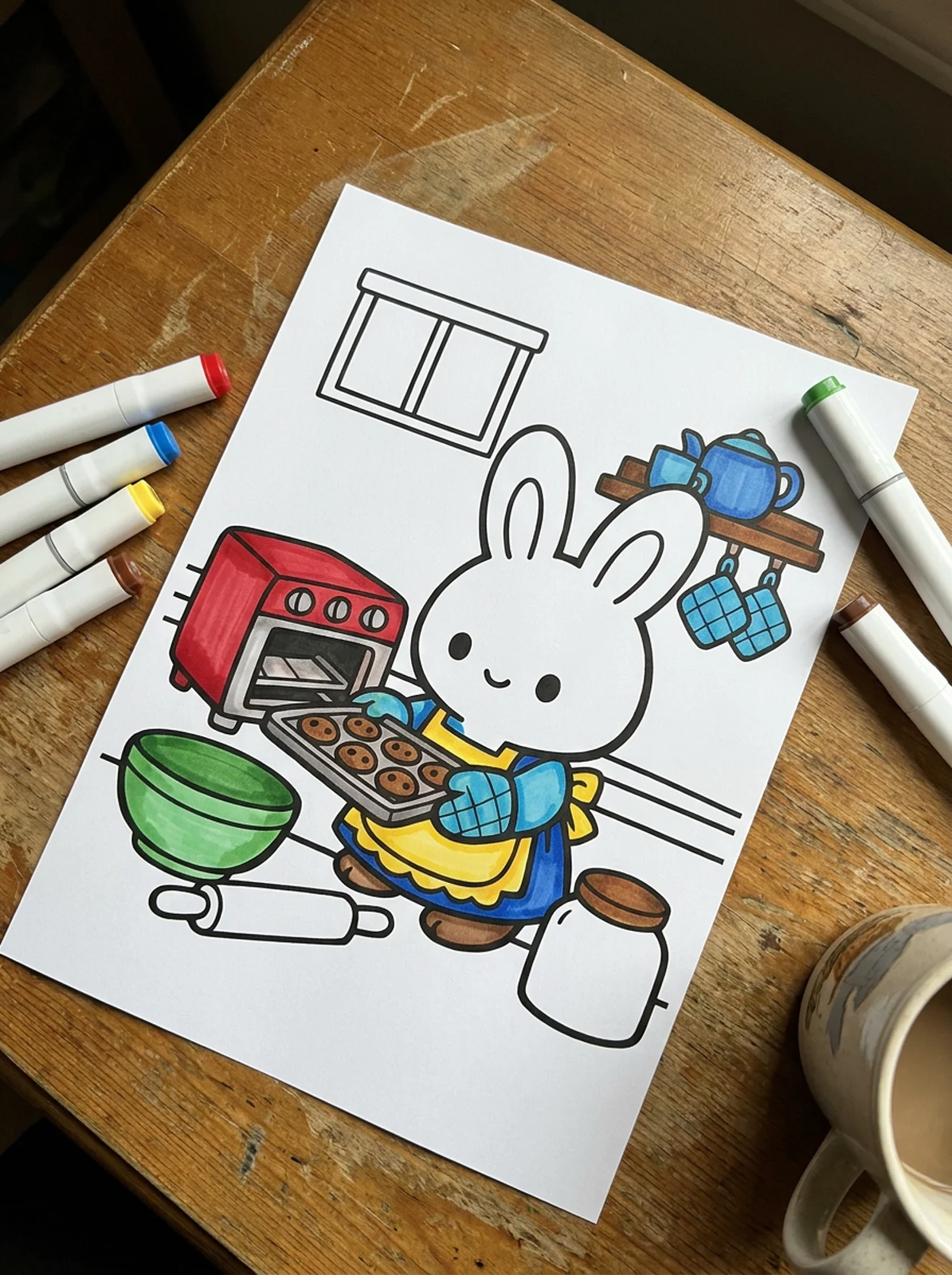
lb vs gsm: the paper weight table
US paper weights in pounds are measured on a different master sheet for each grade (bond, text, index, cover), so the same number means different thicknesses. Grams per square meter (gsm) is the same everywhere: shop by gsm. The trap is 110 lb: 110 lb index is 199 gsm, 110 lb cover is about 298 gsm, and listings mix the two.
| US weight | gsm | Alcohol markers bleed through (Coloring Dojo) |
|---|---|---|
| 20 lb bond (copy paper) | 75 | Almost always |
| 24 lb bond | 90 | Often |
| 28 lb bond | 105 | Often |
| 32 lb bond (HP Premium32) | 120 | Often |
| 80 lb text | 118 | Often |
| 100 lb text (Bobbie Goods books) | 148 | Sometimes |
| 90 lb index | 163 | Rare with a blotter |
| 65 lb cover | 176 | Rare with a blotter |
| 110 lb index | 199 | Rare with a blotter |
| 80 lb cover | 216 | Very rare |
| 110 lb cover | 298 | No |
Water-based markers only come through 60 to 80 gsm paper, and only with heavy strokes. Most home printers feed paper up to about 200 gsm from the main tray; heavier card goes through the rear feed one sheet at a time with the paper type set to Cardstock (Coloring Dojo). Windy Iris hand-feeds 250 to 300 gsm through a cheap HP inkjet that way.
Inkjet vs laser with alcohol markers
Laser and photocopier lines are safe under alcohol markers: toner is fused onto the paper by heat, and the ink doesn't move (Michelle's MBellishments). Inkjet ink is liquid dye or pigment sitting in the paper, and alcohol can pick it up again, dragging gray into your colors and black onto the marker tips. How much depends on the printer and the paper, so sources report everything from "no problem" to "smears every time".
JordynAlisonDesignscardstock vs regular paper
Our tip: Test with your lightest markers. Yellow shows black pick-up first, and a dirty nib spreads it to the next page.
A Pictured Purpose says it plainly: use a laser printer rather than an inkjet, because inkjet ink can smear. Windy Iris found inkjet ink never quite dries on ultra-smooth marker paper, while on Bristol board an hour of drying was enough. The one laser caveat: on very smooth marker paper, toner can occasionally rub off in spots; touch it up with a black pen (art-is-fun.com).
Only have an inkjet? Do this
- Print in Draft or Standard quality and Grayscale: less ink on the page (Michelle's MBellishments, Paperesse).
- Let the page sit 24 hours before coloring. A hair dryer on low speeds it up (Coloring Dojo).
- Test a corner with your lightest marker and a colorless blender. Go easy with the blender over lines: heavy blending makes inkjet lines bleed.
- Color up to the line, not over it. Our bold lines give you room for that.
Sources disagree on ink type
Blotter sheets: what goes behind the page
Two different things happen with alcohol markers. Ghosting is color you can see from the back while the back stays dry. Bleed-through is ink that reaches whatever is underneath. A blotter catches the second. Both Coco Wyo and Bobbie Goods tell you to put scrap paper behind the page.
- Good blotters: 3 or 4 sheets of copy paper, a sheet of cardstock or chipboard, flattened box cardboard (a favorite in one video's comments), or a heavy watercolor sheet: Caro's Art Studio uses one around 300 gsm, "the thicker the better".
- Plastic sheets, like the one in many marker sets, stop ink reaching the table but don't absorb it, so ink pools on the page you are coloring. Put a scrap sheet between the page and the plastic.
- Replace the blotter when it is saturated under the area you are coloring.
Always single-sided
Never print two coloring pages back to back if you use markers: one of them becomes the blotter for the other. Each of our PDFs is a single page, so this only matters when you print several files in one job with a duplex printer. Use the blank back for a swatch test instead: color a stripe of each marker you plan to use, on the same paper, because markers dry to a different shade on different paper (A Pictured Purpose).
Print a spare. Kristina Hunter Art prints a page twice to plan shadows on one copy, and Thaneeya McArdle tries her colors on a spare print first because alcohol markers "aren't forgiving". With a printable, a mistake costs one sheet.
Printing a whole collection
We don't have one-click bundles yet. Every card in a collection, such as Christmas, winter or bold and easy, has its own PDF link, so you can print a stack without opening each page.
- Open the collection and tap PDF on each card you want. Each opens in its own tab, ready to print.
- On a computer, you can download the PDFs to one folder and print them together: on a Mac, select them in Finder and choose File, Print; on Windows, select them, right-click and choose Print (shown when your PDF app supports it).
- For a book you can keep, take the folder to a copy shop: ask for laser printing on heavy card, single-sided, and spiral or comb binding so the pages lie flat. A Pictured Purpose has her printed pages bound at a print shop; Windy Iris uses a copy shop for marker-proof toner on thick paper.
Pages are free for personal use, classrooms, libraries, care homes and coloring clubs, as long as they stay free for the people coloring them. The details are on the about page.
Troubleshooting
| Problem | Likely cause | Fix |
|---|---|---|
| Prints the website, buttons and all | Printed the coloring page instead of the PDF | Tap the PDF button, then print from the tab that opens |
| Edges of the drawing cut off | Wrong paper size, or a printer with wide margins | Match the PDF to your paper; if it still clips, use Fit to page |
| Drawing small in the middle of the sheet | Fit with the wrong paper size, or a pages-per-sheet setting left on | Actual size, 1 page per sheet, matching PDF |
| Lines gray or faded | Draft mode, low toner or ink, or color mode mixing black from colored inks | Grayscale or black only; Standard or Best quality; check the cartridge |
| Lines jagged or blurry | Printing a screenshot or an image instead of the PDF | Print the PDF: it is vector and sharp at any size |
| Cardstock jams or comes out curled | Heavy card through the main tray | Rear or manual tray, one sheet at a time, paper type Cardstock |
| Toner rubs off cardstock | Laser set to plain paper | Set media to Heavyweight so the toner fuses |
| Markers pick up black from the lines | Inkjet ink re-wet by alcohol | Draft and grayscale, 24 hours drying, or print on a laser |
| Ink on the table or next page | No blotter, or a saturated one | 3 or 4 scrap sheets behind the page; change them often |
| Phone can't find the printer | Different Wi-Fi, or no print service on Android | Same network; Add printer, or the printer maker's app |
Print your first page
The bold and easy collection has our simplest pages, with thick lines that hide a little marker spread and take 15 to 45 minutes to color. If you are choosing markers to go with your new cardstock, read the best markers for coloring books next.
Ready to color?
216 free cozy coloring pages: PDF in US Letter or A4, or color online. No sign-up.
Questions people ask
What size is a printable coloring page?
Most printable pages are made for US Letter (8.5 x 11 in) or A4 (210 x 297 mm). Ours come in both, with the drawing about 7.3 x 9.7 in (185 x 247 mm) inside a 1/2 in margin, so the same picture prints on either paper. Popular coloring books are often square (8.5 x 8.5 in or 8 x 8 in), which is why a page from a book looks a little different on a sheet.
Should I print coloring pages at Actual size or Fit to page?
Use Actual size (also called 100 % or Default) when the page has a margin of about 1/2 in, as ours do: home printers only need about 1/8 in. Use Fit to page if the edges get cut off, or if you print a Letter file on A4 paper or the other way round. Fit shrinks the page by 3 to 6 %, which you will barely see.
What is the best paper for printing coloring pages?
Plain 20 lb copy paper (75 gsm) is fine for colored pencils and water-based markers. For alcohol markers, colorists move up to 65 lb cover cardstock (176 gsm, about 4 cents a sheet) or 110 lb index (199 gsm), which bleeds much less. Always put a scrap sheet behind the page.
Can I print coloring pages from my phone?
Yes, if your printer is on the same Wi-Fi. On iPhone, open the PDF, tap the Share button, then Print, and pick your printer. On Android, open the PDF from your downloads, tap the three-dot menu, then Print, and choose the printer and paper size.
Why do my markers smear the printed lines?
Alcohol markers can re-wet the liquid ink an inkjet printer lays down, so black drags into your colors and onto the marker tips. Laser toner is fused by heat and does not smear. With an inkjet, print in Draft or grayscale, let the page sit 24 hours, and test a corner with a light color first.
Is 110 lb cardstock thick enough for alcohol markers?
It depends which 110 lb. 110 lb index is 199 gsm, a good marker paper that most home printers can feed. 110 lb cover is about 298 gsm, much thicker, and usually needs the rear tray, one sheet at a time. Shop by gsm: it is the same number everywhere.
How this guide was made
Written by Cozy Coloring from colorists' own videos and posts, brand specifications and independent reviews, listed below. We have not run lab tests: where sources disagree, we say so.
- Coloring Bliss: How to Print Coloring Pages (YouTube)
- A Pictured Purpose: Mastering Alcohol Markers (YouTube)
- JordynAlisonDesigns: cardstock vs regular paper (YouTube)
- Windy Iris: paper for printing coloring pages (YouTube)
- Baylee Jae: Paper Types for Markers (YouTube)
- Thaneeya McArdle: Top 8 Tips for Alcohol Marker Beginners (YouTube)
- Mr Chris Art Studio: paper for Ohuhu markers (YouTube)
- Caro's Art Studio: How to color shadows (YouTube)
- Coloring Dojo: marker bleed-through and paper
- Michelle's MBellishments: Copic marker FAQ
- Paperesse: how to stop printed lines smearing
- Coco Wyo: FAQ (paper weights for printables)
- Apple Support: Use AirPrint to print from your iPhone or iPad
- Google Pixel Help: Print from your device